View library data in Explorer
Viewing library data in Explorer is different than viewing other entities.
CVE Shield adds a status badge to library entities, so you can see which libraries have CVEs that need attention at a glance. See Understand CVE Shield status badges below to learn more.
Before you begin
To view library data, you need an Assess or ADR license.
To see CVE Shield status badges:
The library's application needs an Assess license, an ADR license, or both. An Assess license shows reachability-based statuses (Not Seen, Exposed). An ADR license is required to see attack-based statuses (Exploited, Blocked, Protecting).
Additionally, the library's application needs a supported version of the Contrast Java agent installed and sending data. See Install on a server or VM, Install on Kubernetes, or Install in Docker with the Contrast CLI for installation and configuration steps, and supported version requirements.
Library entities in Explorer
The library cluster entity represents a collection of all open-source transitive dependencies that the application uses, either directly or indirectly. This entity shows the connection to each application and represents all libraries that the connected application references, both root and transitive.

Individual library entities represent individual libraries. They can be root libraries, transitive dependencies, or both - an application can reference a library directly or transitively.
Expanding an entity shows the next level of dependencies. For a root library entity, it shows all the root libraries for the application. Individual library entities show the next level of dependencies.
Selecting Expand all for any entity shows the entire dependency tree for that entity. For root library entities, Expand all shows the entire dependency tree for the application.
If you search for a CVE, the Expand all matching option is available. This option shows the entities that match the CVE you searched for.
The details you can view vary depending on the type of entity you select.
The details for a library cluster entity include all libraries in the application, along with a text representation of the dependency tree, associated issues, and CVEs.
The details for an individual library entity include details of that particular library, as well as CVE information for lower-level libraries.
Steps
To easily view library entities, select the Filter icon (
 ) at the top of the Explorer and select Library as the Type.
To view details for a library cluster entity, select it.
This action opens the Libraries summary tab for the entity on the Application details page.
To view the transitive dependencies for any library entity, select the entity. Select Expand all to view all transitive dependencies, Expand to view only the next level of transitive dependencies, or Expand all matching if you searched for a CVE.
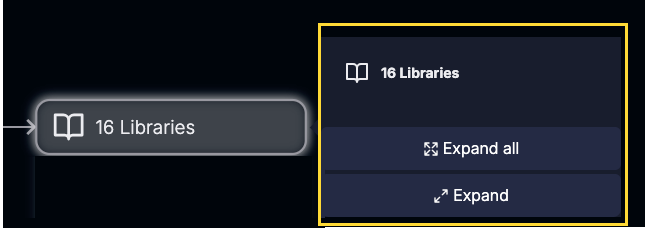
To view additional details for a transitive dependency entity, select it.
This action opens the details panel for the entity.
To close a view of any library entity, select it and then, select Collapse.
Depending on the type of data that Explorer displays for a library entity, you might have the option to select links in the details panel for additional information. For example:
CVE links: Detail panels that show CVEs have a link to the NIST description.
Issue links: Detail panels that show associated issues have a link to the Issues view.
Understand CVE Shield badges
When a library cluster entity has one or more tracked CVEs, Explorer displays a shield badge on the node showing the most critical status found among all their descendants. A library cluster's badge can reflect a CVE several levels down its dependency tree.
The badge's color and icon reflect the CVE state that needs the most attention among that node's CVEs. See Review Contrast CVE Shield states for priority order details. If ADR is also active on the same application and configured to block, ADR may intercept an attack before CVE Shield reports it. In that case, a library's badge may show a less severe status than what actually occurred.
The Contrast CVE Shield badge only appears on a library node if it has at least one CVE.