- Role-based access control

- Users
- Add a user
Add a user
Use this procedure to add a user.
Before you begin
On-premises users: Use the Add or edit a user at an organization level procedure.
Steps
Select the Users tab.
Select Add user.
Specify the user details:
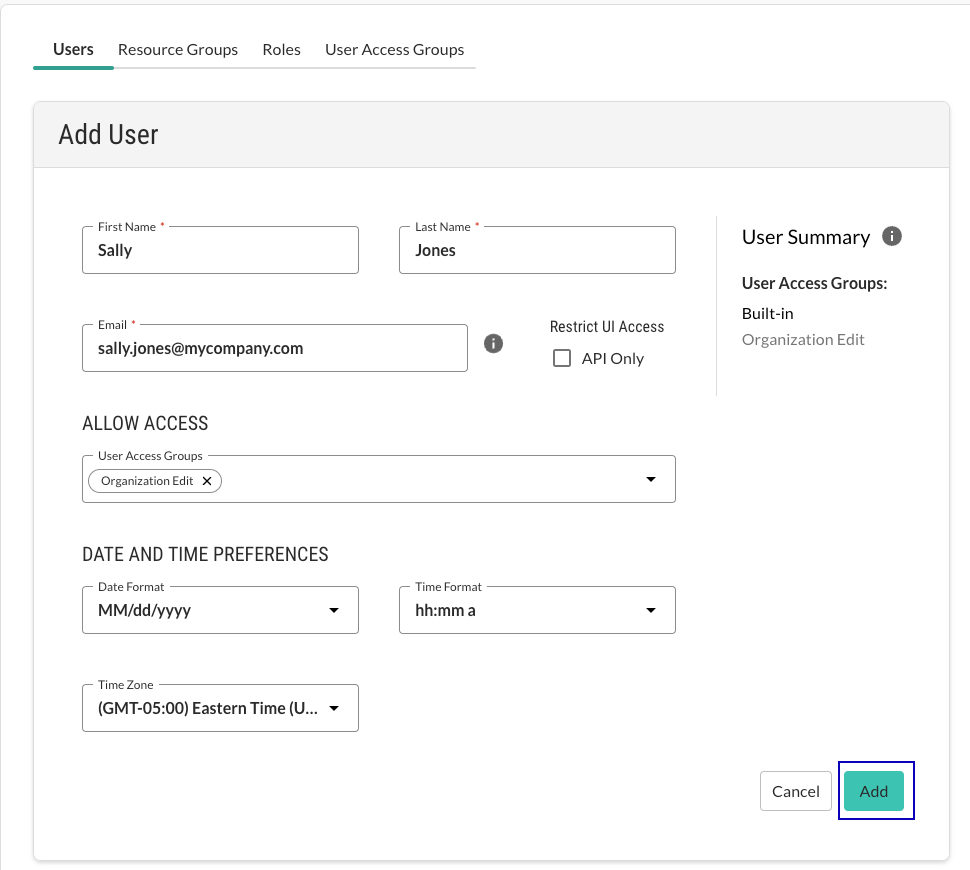
First name: The user's first name.
Last name: The user's last name.
Email: The user's email address
Restrict UI access: Select the API only option if you want the user to have access to the Contrast API but not the web interface.
When you select this setting, a user cannot log in to the Contrast web interface with a password. When you clear the setting, a user can log in with their password and continue to use the API as well.
Allow access: Select a built-in or custom user access group.
The access group determines the actions and resources available to the user.
Date and time preferences: Select the time format, the date format, and the time zone for the user.
Select Add.