Users 
Once you add users to the Users list, you can assign them to specific user access groups.
Users tab
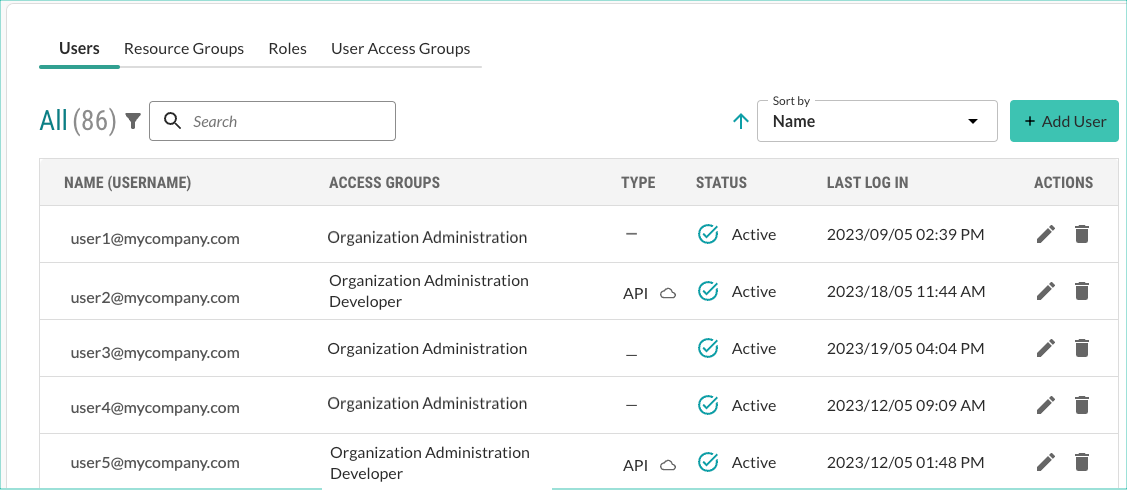
The Users tab shows details about the Contrast users:
Name: The first and last name of the user.
Access groups: The user access groups assigned to the user.
User Access groups determine the roles assigned to the user. The roles determine the actions and resources for the user.
Type: The type of account: user, API or guest.
To copy the credentials for the API user, select the cloud icon (
 ) next to the type. Then, select the copy icon (
 ) next to the credentials.
To change a guest account to a standard account, select Guest in the Type column and then, select Add user.
Status: The current status of the user account:
Active: The user has access to Contrast data.
Waiting for activation: Users needs to respond to the activation email from Contrast before they can access Contrast data.
Inactive: The account is no longer in use.
To re-activate the account, select the Activate icon (
 ) and select Activate.
Locked: The user is locked out of their account based on a security policy.
To unlock the account, select the check mark next to it and select Unlock.
Last login: The most recent date and time when the user logged in to Contrast.
Filters and sorting
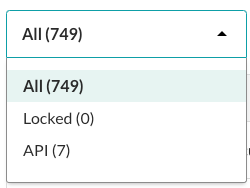
You can refine the view by selecting one of these filters:
All: Displays all users
Locked: Displays users with a locked account.
API: Displays user with API access.
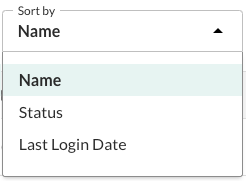
You can sort the view by Name, Status, and Last login date.
Tasks
From this tab, you can: